

What a campaign is made of
Audience
One or more lists to include, and optionally lists to exclude. New prospects added to an included list join an active campaign automatically, however they were added.
Sequence
The steps each prospect walks through: send a message, wait, wait for a reply, branch, hand off to a teammate, let AI reply, exit.
Senders
The connected LinkedIn, email, and WhatsApp accounts that send for this campaign. You pick a pool per channel.
What Guhan does when a campaign is live
For every prospect in the audience:- Starts them at the first step of your sequence.
- Writes each message for that person, or sends the exact text you fixed in advance. See Personalization.
- Sends from one of your connected accounts, inside the sender’s send window and daily limits. See Sending safety.
- Waits, follows up, and branches as your sequence says.
- When someone replies, routes the reply to your Inbox, where Guhan drafts a response or hands the conversation to you.
The campaign page
Open Campaigns in the sidebar to see all your campaigns with their status, messages sent, replies, and meetings. The Reply number is a count; hover it to see the reply rate. Click one to open it: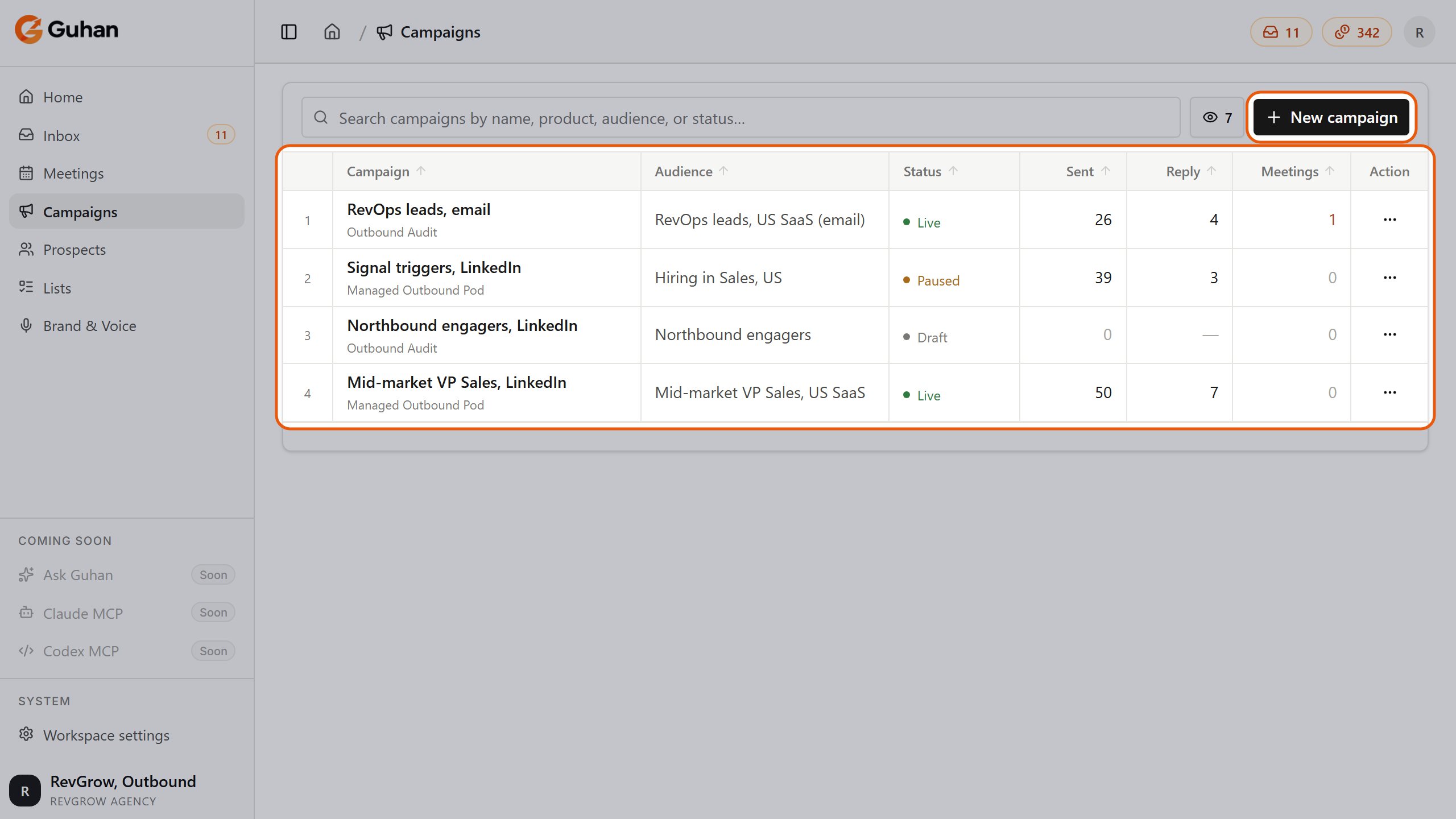
Campaigns: each campaign with its audience, status, messages sent, replies and meetings. New campaign is at the top right
The header shows the campaign’s status (Live, Paused or Draft) and the button that runs it: Launch, Pause, or Resume, depending on its state. The menu next to it has Clone campaign and Delete campaign.
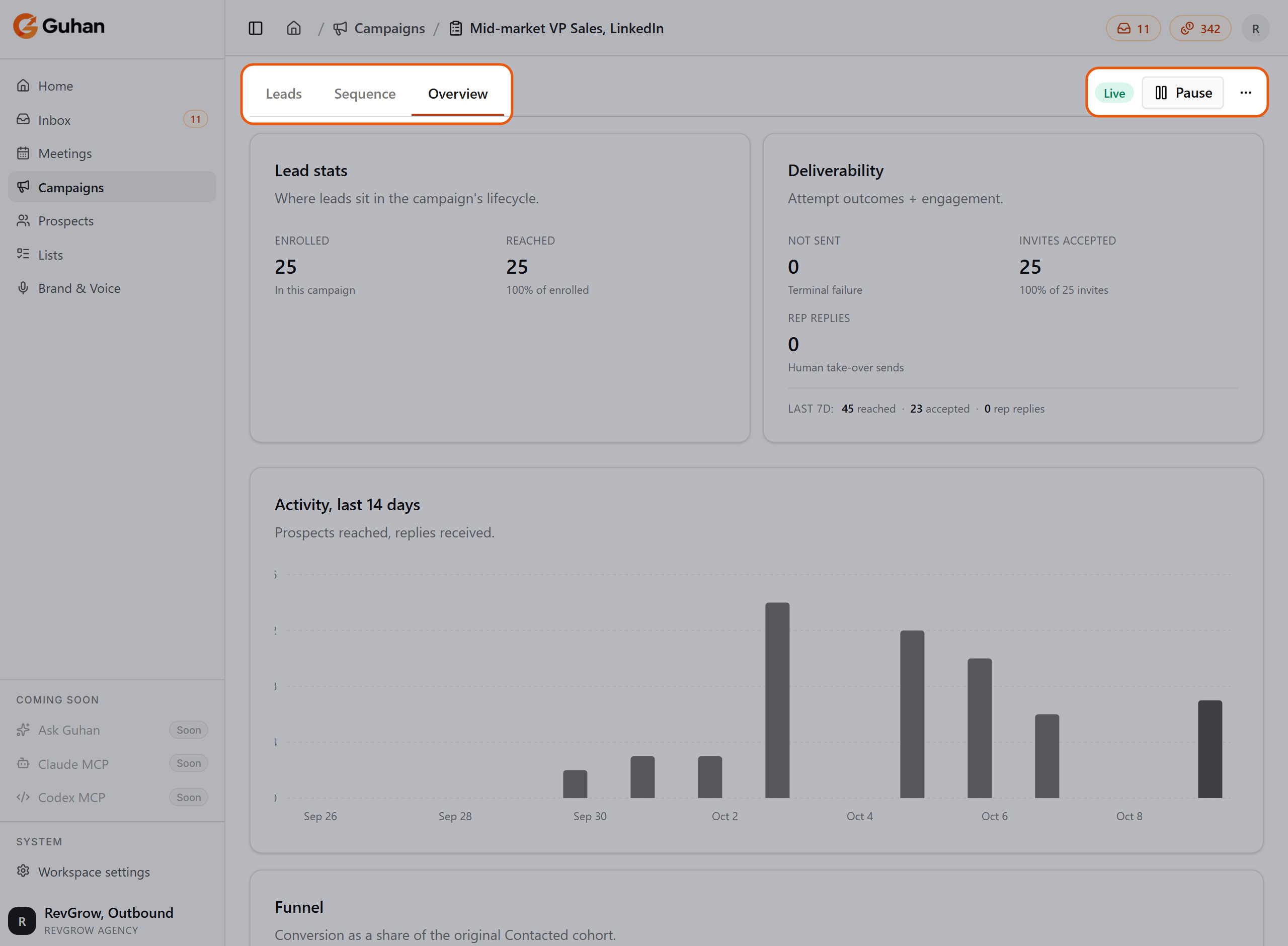
A live campaign opens on the Overview tab. The tabs are Leads, Sequence and Overview; the header shows its status, the Pause button and the menu
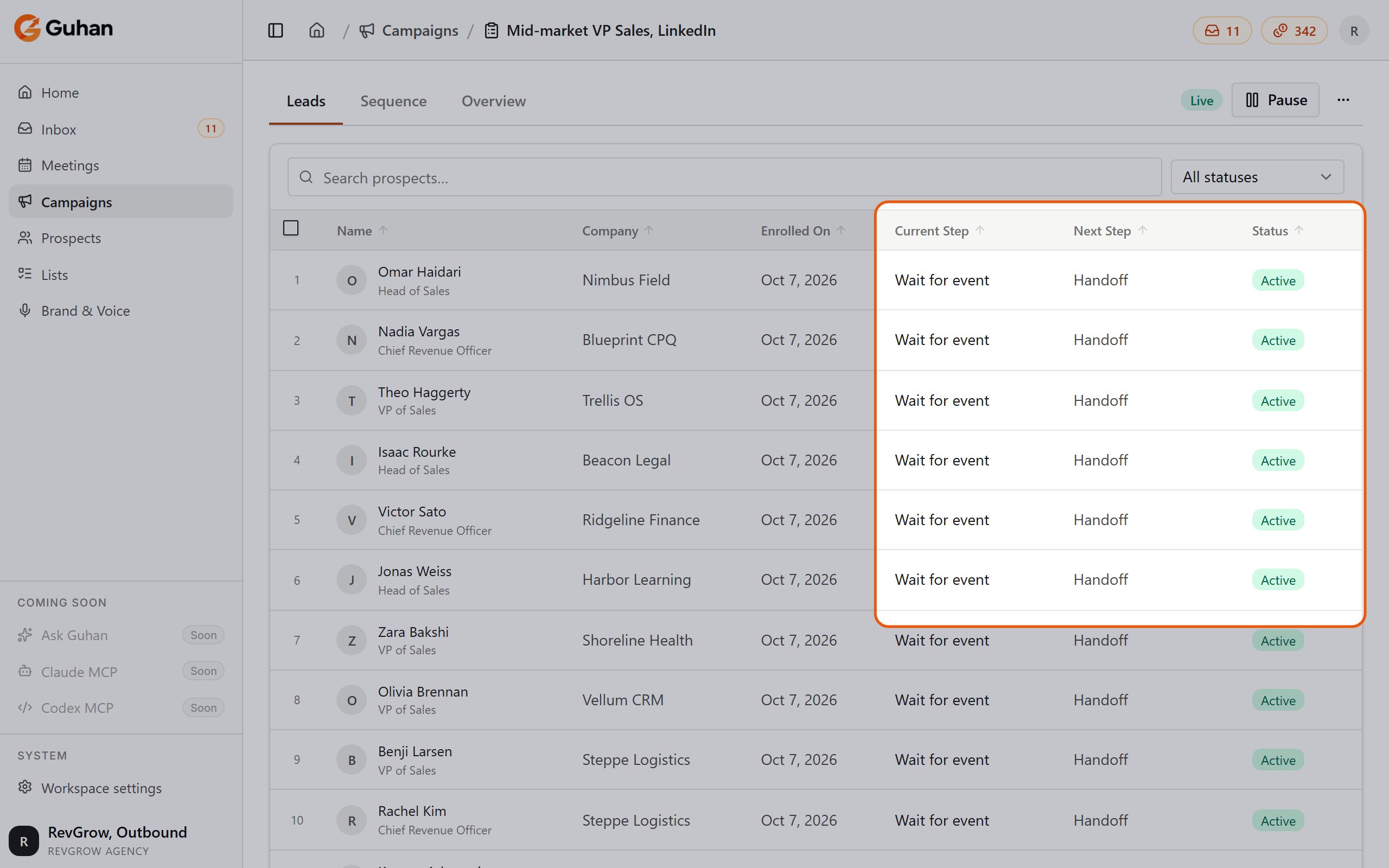
The Leads tab: each prospect, the step they are on, the next step and their status
What costs credits
Sending itself is free. Credits are used when Guhan writes a message for you (Auto-draft and Guided steps, and AI replies that send automatically) and when it has to look up contact details. Fixed-message steps do not use credits. The full price list lives in Plans and credits.Where to go next
Build a campaign
Create the campaign, set the audience, and build the sequence.
Personalization
How Guhan writes each message, and when to write it yourself.
Launch and manage
The launch checklist, pausing, editing, and cloning.
Sending safety
Limits, send windows, pacing, and Do Not Contact.